MathStars by MathPrepAI
Grade 1 to 9 maths children want to keep playing. Teachers and parents see where they are stuck.
An adaptive maths quest built for iPad. A short placement, a map of stages, stars and cosmetics to earn. Every problem is in Thai with read-aloud support, and children never have to type Thai.
Pilot only for now, not open to the public yet. Send your interest and we will get back to you.
How children learn
Four steps a child can do alone on an iPad.
- 1
Placement
12 to 24 short problems (it stops early once it has seen enough), with a break halfway. The app sees which skills are solid and which are not yet.
- 2
Level map
The result becomes a map of stages. The next stage is chosen to fit the child, not the same order for everyone.
- 3
Practice stages
One problem at a time with a worked example, three levels of hint and instant checking. Missed items come back later.
- 4
Stars and rewards
Clear a stage for one to three stars, then spend them on cosmetics for the mascot. Rewards come from doing the work. There is no class leaderboard.
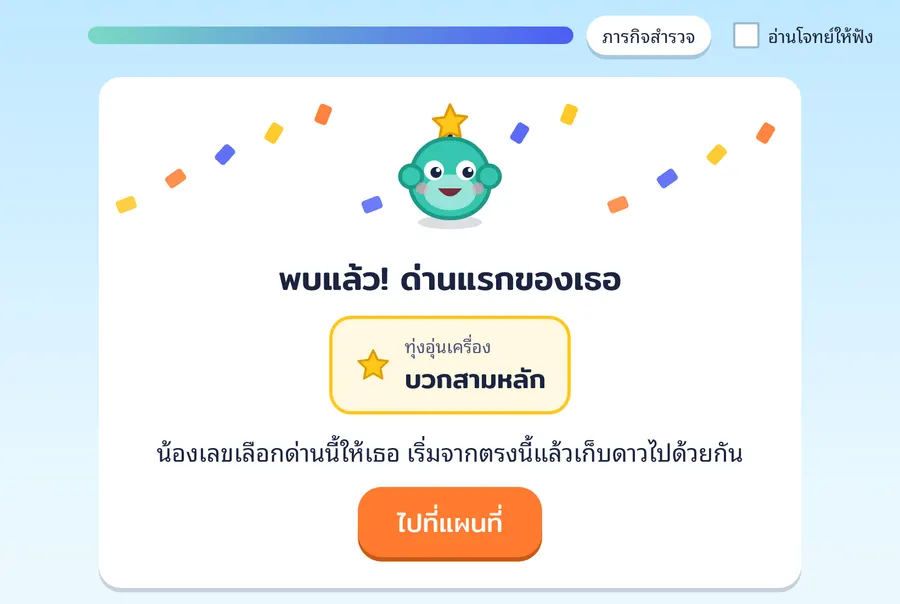
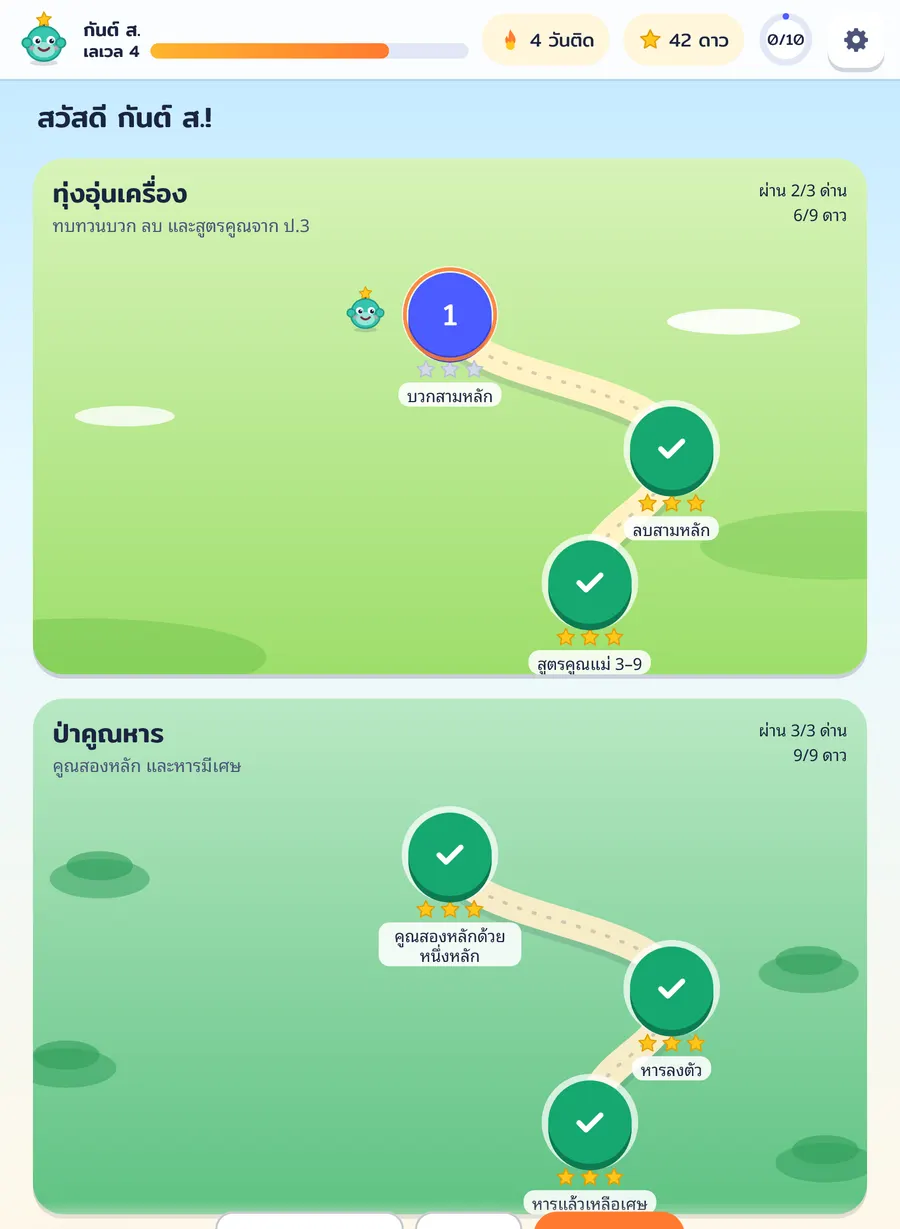
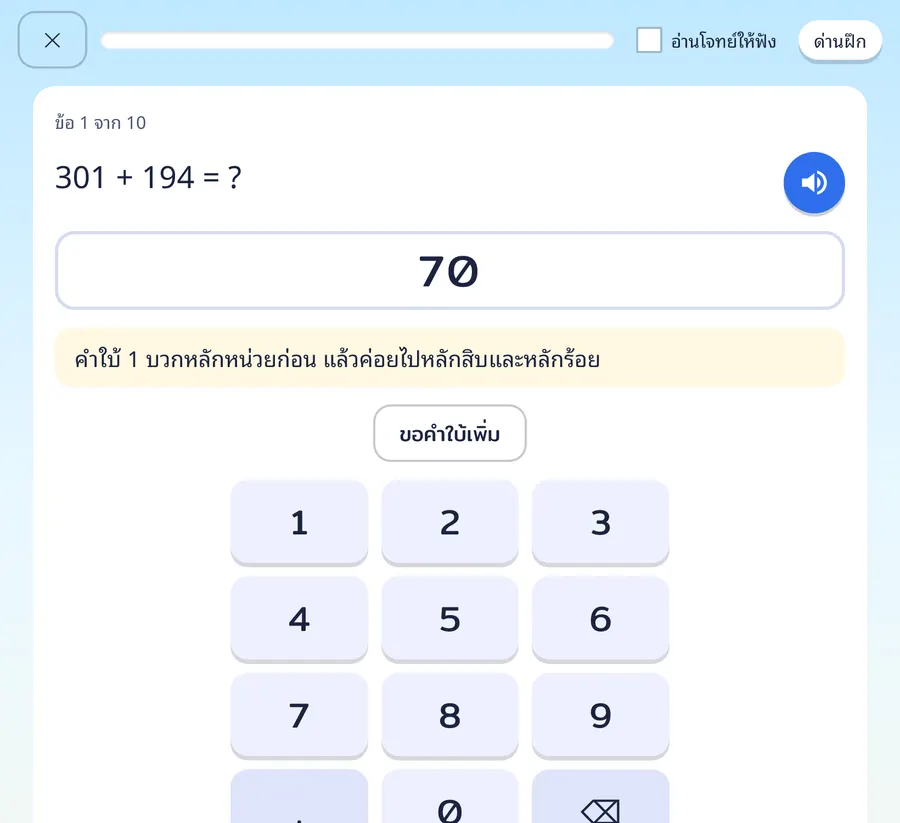
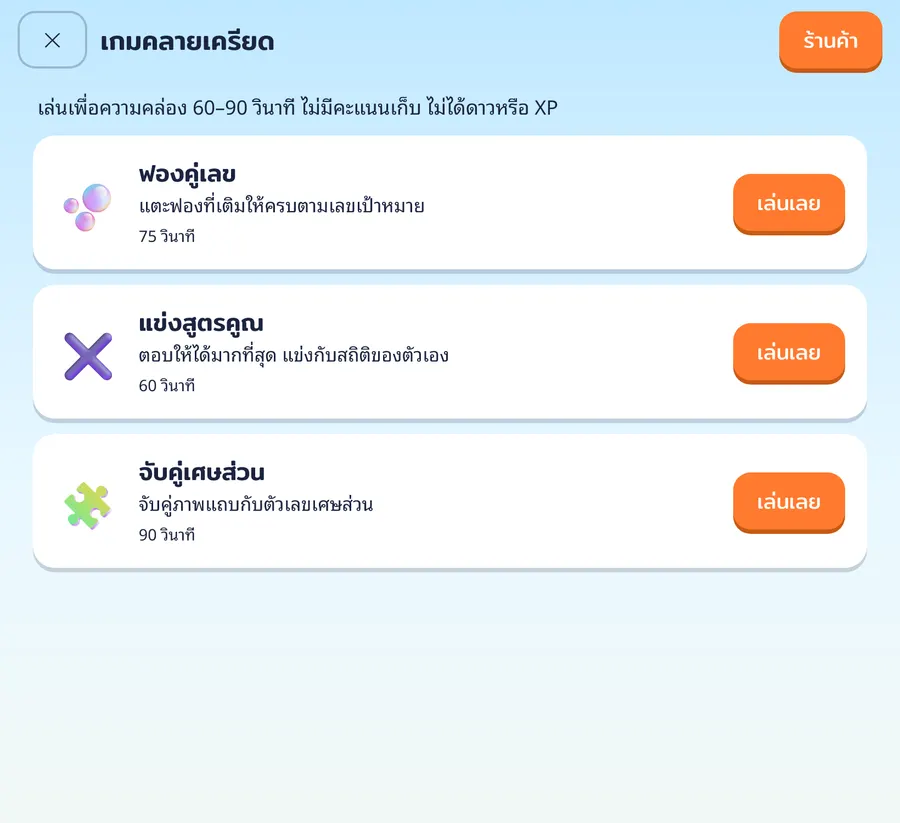
All images are real screens from the trial build (sample data), not mock-ups.
For teachers
Open a class and children can join straight away, with no email needed.
Class code and QR
Show the code or QR on the screen. Children scan or type it, pick their name and enter a PIN.
PIN cards
Print PIN cards for the whole class on one sheet to hand out or keep.
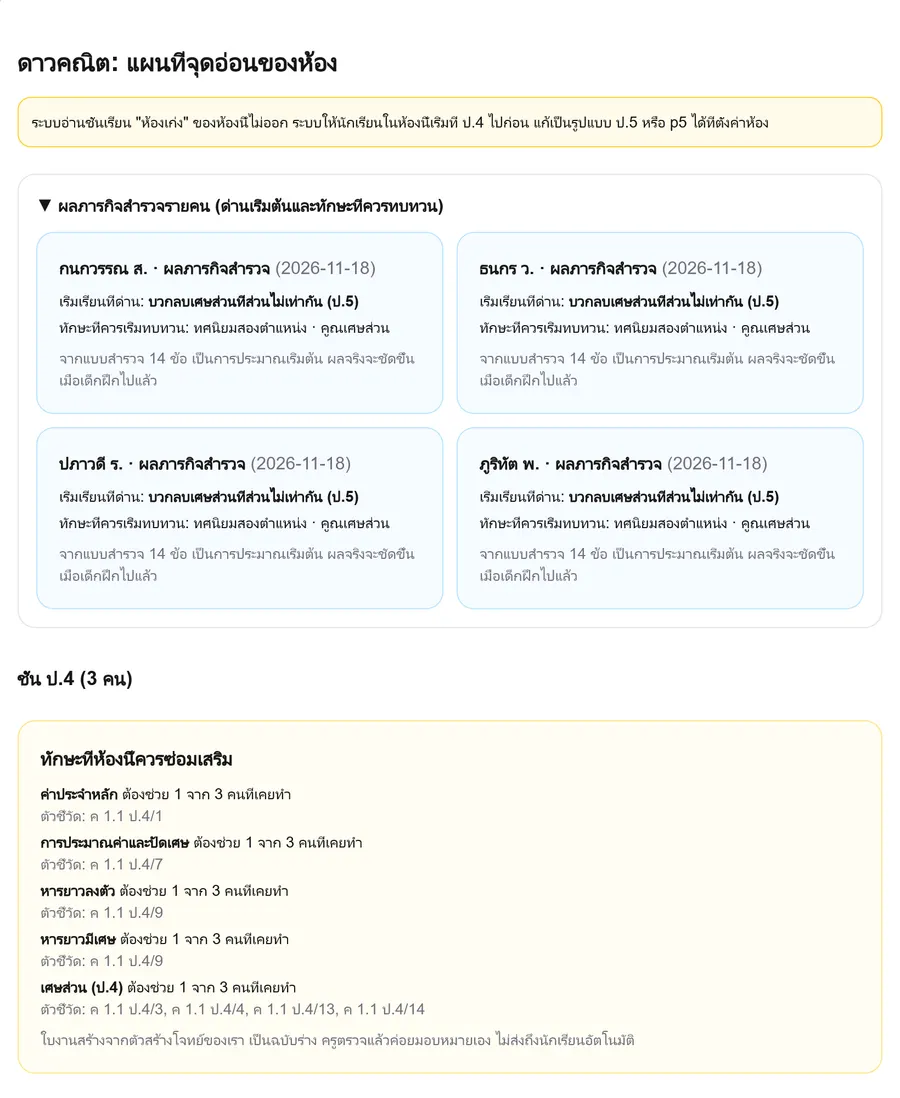
Class heatmap
A colour grid shows which indicators each child has passed and which skills the whole class still finds hard, so you can plan reteaching.
It lives next to your classes, gradebook and worksheet maker in MathPrepAI, so there is no extra app to switch to.
For parents
Practise at home with no teacher needed, and no need to sit and teach.
Home play
Set up several children, each with their own PIN. Run placement at home and start at the right point.
Weekly summary
A short note in the parent account on what improved this week and what is stuck, plus one thing to try at home.
Aligned to the curriculum
Each skill is tied to indicators of the Thai Basic Education Core Curriculum B.E. 2551 (revised 2017) and to chapters of the IPST textbooks. It covers Grade 1 to Grade 9 (Prathom 1 to Mathayom 3), with Grade 4 the most complete.
- Grade 4 skills on the map
- 27
- skills playable now
- 27
- Grade 4 indicators linked
- 22
Grade 4 is fully playable: 27 of 27 skills, including estimating products and quotients and visual fraction and decimal models. Grades 1 to 3 and 5 to 9 have playable skills and are still being added to.
iPad first
Many schools share iPads in primary grades, so the screens are designed around a child's finger first.
- On-screen number pad with large keys. Answers that are words or signs are tap-to-choose, so children never type Thai.
- Add to Home Screen to open full screen
- Switch children on one device with class code and PIN
- Thai read-aloud using the device voice (quality depends on the device)
Tested on emulated iPads of several sizes. Testing on real devices happens during the pilot.
Safety and privacy
- No ads, and no links that take a child elsewhere
- Child data kept to the minimum. Children need no email.
- Per-answer records are kept for 12 months, then deleted. Skill levels are kept while the account is active. When an account is deleted its data is deleted or anonymised within 30 days, as in the privacy policy.
- Problems come from our own generators. No AI writes problems or talks to children.
- No leaderboard comparing children in a class
Frequently asked questions
Is it open yet?
Not to the public. It is in a pilot with a limited number of schools and families. Send your interest if you would like to join.
Will scores go up?
We have no research of our own yet, so we do not promise any figure. What we can show is the share of indicators a child has passed and before-and-after results from the pilot, which teachers can check themselves.
Does it cover other grades?
Yes. It covers Grade 1 to Grade 9 (Prathom 1 to Mathayom 3). Grade 4 is the most complete, with 27 of 27 skills playable. Other grades have playable skills and are still being added to.
Do children need an email address?
No. They join with a class code and PIN, or through a profile their parent sets up.
What is children's data used for?
Only to pick the next problem and show progress to teachers and parents. No ads. Details are on the privacy policy page.
How much does it cost?
Prices are set by our team and will be shown on the pricing page when it opens. Pilot terms are agreed school by school.
Want your class or home to try it?
Email us the school or class you have in mind. We will reply when a pilot round opens.